devmio MCP Server
The shorter path
to a reliable answer.
Your coding agent works faster, more efficiently and more safely: with real expert knowledge instead of just training data.
Try it right away in your free trial month, no risk, cancel anytime.
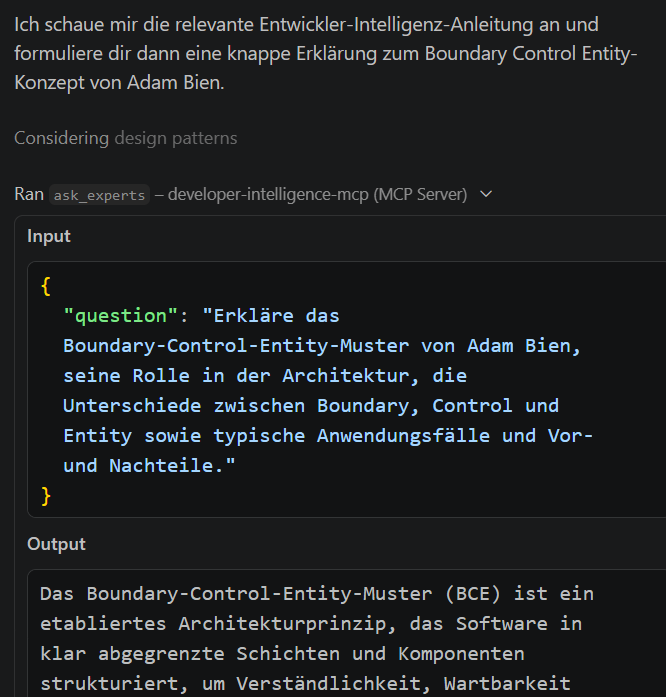
Already a member? Set up the MCP server now. Simple setup, whichever IDE or coding agent you use.
Go to setup
Works with
Claude
Cursor
VS Code
IntelliJ
GitHub Copilot
all common IDEs and coding agents
The problem
Why your agent sometimes takes too many rounds
Coding agents plan, write, check and improve in loops. That is powerful, but every unnecessary loop costs time, tokens and focus. When the agent lacks the right technical context, you have to step in: adjust the prompt, correct the result, start another attempt.
The devmio MCP server tackles exactly this: your agent brings relevant developer expertise directly into its workflow before it makes you a suggestion.
Without technical context
How do I structure the Kafka consumer properly?
Here is a general approach with a single consumer …
That doesn't scale for us, we need multiple partitions.
Understood, here is a correction using consumer groups …
Almost, but error handling during rebalancing is still missing.
3+ rounds until the result fits.
With devmio MCP
How do I structure the Kafka consumer properly?
For event processing, it's worth looking at Kafka Streams instead of the Consumer/Producer API: far less custom code for error handling and state.
Source: article “Event processing with Kafka Streams instead of the Consumer/Producer API” · devmio
One pass, with the source included.
Illustrative example of the response behavior.
The benefits
Faster. More efficient. Safer.
Three effects your agent benefits from, starting with the very first request.
Speed
Fewer loops. Better results.
Your coding agent reaches reliable answers faster because it checks plans, reviews and code suggestions directly against expert knowledge.
Cost Reduction
More outcome per token.
Relevant context reduces unnecessary iterations, saves token costs and makes every agent run more valuable.
Safety / Confidence
Real expert knowledge for your agent.
Instead of relying only on generic training data, your agent works with conference sessions, slides and code examples from real human experts.
With the devmio MCP server, I don't have to correct my copilot as often anymore, which gets me to the right schema faster.
The solution
Expert knowledge directly in the agent workflow
The devmio MCP server connects your agent with the knowledge of devmio: conference sessions, slides and code directly in your IDE and MCP client.
No abstract schema, but real content from real speakers. These are exactly the sessions your agent draws on before you have to step in.
Not generic, not anonymous: every session your agent cites comes from a real person with a name and experience, not from an anonymous data pool.

Machine Learning Conference

JAX
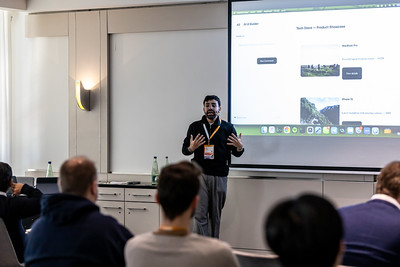
BASTA!

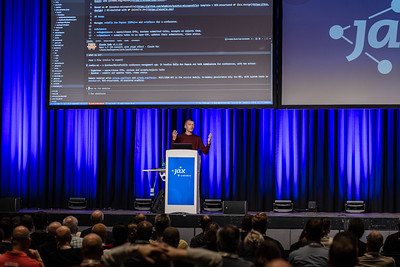

In everyday work
Where your agent benefits from expert knowledge
Five situations where the difference shows immediately.
Planning
The agent checks technical approaches against expert content and conference knowledge before proposing a plan.
Code review
The agent enriches reviews with best practices and examples from real-world development practice.
Refactoring
The agent assesses restructuring work better because it finds relevant architecture and code examples.
Architecture decisions
The agent backs up decision options with expert knowledge, sessions and slides.
Security & quality
The agent aligns its advice and reviews more closely with established real-world examples.
Your agent picks the right tool for the job on its own:
Ask experts
Find content
Explore details
Find best practices
Code review
Start new conversation
The knowledge base
The knowledge of devmio: ready for your agent to use
Whether video talk, slide, code, table, article or image: through dev intelligence, every piece of content is broken down into uniformly structured units. That way your agent searches everything through the same interface, no matter where it comes from.
Very different formats
Video talk
Code
Table
Article
Image
Uniformly searchable chunks
Chunk: Video talk
Chunk: Slide
Chunk: Code
Chunk: Table
Chunk: Article
Chunk: Image
Conference sessions
Slides
Code examples
Technical articles
Tutorials
30,000+
curated content items
5,000+
conference sessions
31
years of know-how
Get started
Connect once. Use it right in your workflow.
Simple setup, whichever IDE or coding agent you use.
Get access Already a member? Skip
To use the MCP server you need an active membership: BASIC, Fullstack or Elevate. Which one doesn't matter for the setup.
Not a member yet? Start your free trial month on the BASIC plan. No risk: cancel monthly, then €19.90/month.
Open the setup
Choose your IDE or coding agent in the setup guide and follow the few steps.
Sign in and get started
On first launch you sign in once with your devmio account. After that, your agent recognizes from the tool descriptions when to draw on the expert knowledge, or you explicitly ask it to.
Technical details
For everyone who wants to know what they're getting into before the trial.
Server-URLhttps://mcp.sandsmedia.com/mcp
TransportStreamable HTTP
AuthenticationOAuth, login with your devmio account
Clientsall common IDEs and coding agents
Setupmcp.sandsmedia.com/setup
{
  "servers": {
    "developer-intelligence-mcp": {
      "type": "http",
      "url": "https://mcp.sandsmedia.com/mcp"
    }
  }
}
No credentials in the config: on first launch a browser window opens where you sign in with your devmio account. Depending on the client, the top-level key is called servers or mcpServers. The exact steps for your tool are in the setup guide.
Access
Try it free, then take off
In the free trial month you can try the MCP server right away and without risk. For daily use: the Fullstack Membership with full access.
Basic
€0 / 1st month
then €19.90 / month (incl. VAT) · cancel anytime
Start for free and cancel anytime. No risk, cancel monthly.
Included:
- 12,000 technical articles & all magazines
- dev intelligence to try out (reduced query volume)
- devmio MCP server for testing (enough for initial tests, not for continuous use)
- 1 month free, from month 2 only €19.90
- Cancel monthly
Most popular
Fullstack
€249.90 / year
incl. VAT · equals €20.83 / month · annual billing only
The full package: Summit ticket, full AI access and 30,000+ content items for your daily work.
Everything in Basic, plus:
- Free access to the entwickler Summit incl. catering
- Full access to dev intelligence (with knowledge from 5,000+ conference sessions)
- Full access to the devmio MCP server
- New tutorial lessons & online workshops every week
- 30,000+ curated content items (articles, magazines, tutorials, events, courses)
- Conference benefits: discounts & 6 months of access to recordings
Questions & answers
Frequently asked questions
Open the setup guide at mcp.sandsmedia.com/setup, choose your IDE or coding agent and follow the few steps. On first launch you sign in once with your devmio account, and then the MCP server is ready to use.
MCP is an open standard that lets AI assistants connect to external knowledge sources and tools. Our server provides the devmio knowledge as such tools. Your agent recognizes from the tool descriptions when it needs them, or you explicitly ask it to.
Our RAG system (Retrieval-Augmented Generation) behind the MCP server. It breaks conference talks down into searchable units (slides, tables, code, images) and describes each of them in the metadata so the retriever finds exactly the right spot. Most of these talks are not freely available on YouTube, but exclusively via devmio.
Only the request your agent sends to the MCP server; the transmission is encrypted throughout. If a request contains code, tokens or secrets, this content is not stored permanently but removed again after processing. In the chat history you will then see the code marked as removed. In addition, we proactively check requests for typical key patterns and filter them out. Your requests are neither used to train models nor written to server logs.
The MCP server and the setup guide are operated by Software & Support Media GmbH, the company behind devmio. You sign in with your devmio account. Details can be found in the legal notice.
With all common IDEs and coding agents, including Claude Code, Cursor, VS Code, IntelliJ and GitHub Copilot. You'll find the right steps for your tool in the setup guide.
No. The setup guide at mcp.sandsmedia.com/setup shows you exactly what to do for your IDE or coding agent: add the server, sign in once, done.
In the free trial month of the BASIC plan you can try the MCP server right away with no commitment. BASIC permanently includes a limited quota and can be cancelled monthly. For daily use we recommend the Fullstack Membership: full access with a significantly higher limit. The MCP server can be used with any active membership, i.e. BASIC, Fullstack or Elevate.
Fully up to date: fresh talks, new articles and courses are added continuously. Unlike the frozen training knowledge of pure AI models, you get the latest state of knowledge, with a clear source.
From 31 years of devmio: conference talks from JAX, BASTA! and DevOpsCon, technical articles, magazines and courses, produced by renowned industry experts.
Give your agent the context that makes the difference.
Fewer loops, more outcome per token and real expert knowledge right in your workflow: with the devmio MCP server, your coding agent becomes faster, more efficient and more reliable.
Try the MCP server now